Google Business Profile for physiotherapists: the mobile and home-visit setup, done right first time
Published • 6 min read
Written by the team at Mobile Physiotherapist, for physiotherapists
For a physiotherapist who visits patients at home, Google Business Profile is the most important marketing asset you will own, and the one most people set up wrong. It is free, it takes an afternoon, and the mistakes made on day one are the ones that get profiles suspended six months later.
What Google Business Profile is, and is not
Google Business Profile (it was called Google My Business until 2021, and many physios still search for it by that name) is the listing that appears in Google Maps and in the box of local results when someone searches "physiotherapist near me" or "home physio Shrewsbury". It is not a website and it does not replace one. It is the front door: people see it, read the reviews, and either ring you or click through to your site.
One honest caveat for mobile physios. The local pack is built around distance from the searcher to a location. A clinic with a fixed address will usually outrank a service-area business for "physiotherapist near me" in the clinic's own town. Your profile still matters enormously, for branded searches, for Maps, for the reviews that every referrer will look at, and for the many people who search for "home visit physiotherapy" or "mobile physio" specifically. Just do not measure yourself against the clinic down the road on a search you were never going to win.
Step 1: set up as a service-area business
When you create the profile, Google asks whether customers visit your location. For a home-visit practice the answer is no. Choose to deliver goods and services to your customers, and do not show your home address. Google's guidelines are explicit: businesses that do not serve customers at their address must hide it, and profiles that show a residential address for a service business are a common reason for suspension.
Then set your service areas. Google lets you add up to twenty areas (towns, districts or counties). Add the ones you actually cover, and be honest about the radius, because Google expects the whole area to be within roughly two hours' drive and more importantly patients expect you to turn up.
Step 2: the right category
Your primary category should be Physiotherapist (Google also offers Physical therapist, which is the American term; UK searchers use physiotherapist). Add secondary categories only if they are true: Rehabilitation center is not appropriate for a solo mobile physio, but Sports injury clinic might be if that is a real part of your work. Do not stuff categories; the primary one does most of the work.
Step 3: a name Google will not remove
Your business name on the profile must be your real trading name, exactly as it appears on your website and insurance. "Jane Smith Physiotherapy" is fine. "Jane Smith Physiotherapy Home Visits Shropshire Best Physio" is keyword stuffing and will be edited or suspended. If your website and your profile disagree about your name, fix the website first.
Step 4: a description that describes
You have 750 characters. Google's guidelines say the description should not focus on prices, promotions, special offers or links, and profiles that do get edited or flagged. So do not put your prices in it, do not put your phone number in it (there is a field for that), and do not put your website address in it (there is a field for that too).
Instead, describe who you help and how: home-visit physiotherapy for older adults, post-operative rehabilitation, neurological conditions, falls prevention, covering these towns, HCPC registered, insured and DBS checked, and how a first visit works. Written like a person talking, not a list of keywords. If you use an AI tool to draft it, give it those facts and tell it what not to include; our course's prompt library has a version that follows Google's rules.
Step 5: photos, real ones
Profiles with photos get more calls. Use real photos of you, ideally with kit, and if you photograph anything in a patient's home make sure it is a staged shot with permission or, better, your own home. A logo, a headshot and three or four working photos are enough to start. Add one every month or two; a profile that changes looks alive.
Step 6: verification
Google will verify you by video call, postcard, phone or email, and for a service-area business increasingly by video, where you show your kit, your vehicle signage if any, and evidence of the business such as insurance documents. Have those ready. Verification takes a few days to a couple of weeks. Do not touch the name or category while it is pending.
Step 7: fill in the rest
- Opening hours that match what you can actually answer. If you do not pick up the phone during visits, say so in the description and use the booking or message features.
- Services: list them as Google offers them (physiotherapy assessment, post-operative rehabilitation, falls prevention and so on). You can add prices here if you want to; this is where prices belong, not in the description.
- Attributes: online appointments, identifies as women-owned and similar, only where true.
- Booking link if you use online booking, otherwise leave it.
- Q&A: seed two or three genuine questions and answer them yourself (Do you visit care homes? Do I need a GP referral?). Note that the Q&A feature is less prominent than it was and Google's AI now answers many of these questions from your website, so put the same answers on your site too.
Step 8: the review routine (this is where the profile earns its keep)
Reviews are the biggest lever you have. For a home-visit caseload where the patient is often 78, a routine that works looks like this:
- Ask every patient at discharge, the same way, every time. Do not filter who you ask based on how it went; selectively asking only happy patients is treated as a fake-review practice by Google, and by the Competition and Markets Authority under the consumer protection rules in force since 2025.
- Make it easy: a short link or QR code on a card you leave behind, and an offer to help the daughter or son leave it on the patient's behalf if the patient asks them to.
- Never incentivise a review, never write one yourself or have a relative do it, and never ask for a specific star rating.
- Reply to every review, briefly and without confirming anything clinical or even that the person was a patient. "Thank you, it was a pleasure to help" is enough. Confidentiality does not stop at the front door.
Six honest reviews in the first three months does more for a new practice than any amount of advertising.
Keep it alive
Post an update every few weeks (a seasonal falls-prevention tip, a note that you have capacity in a particular town), add a photo now and then, and check the profile monthly for edits Google or the public have suggested, because they can change your hours or category without asking. Use the Insights to see which searches found you; if "home physio [town]" is bringing calls, that is where to point your next blog post or website page.
What about Bing and Apple Maps?
Bing Places and Apple Business Connect are worth twenty minutes each once Google is done; they are infrastructure rather than marketing and some patients' phones default to them. Beyond the map platforms, be cautious about paid directories. Most of them sell you back the visibility your own profile and website already give you.
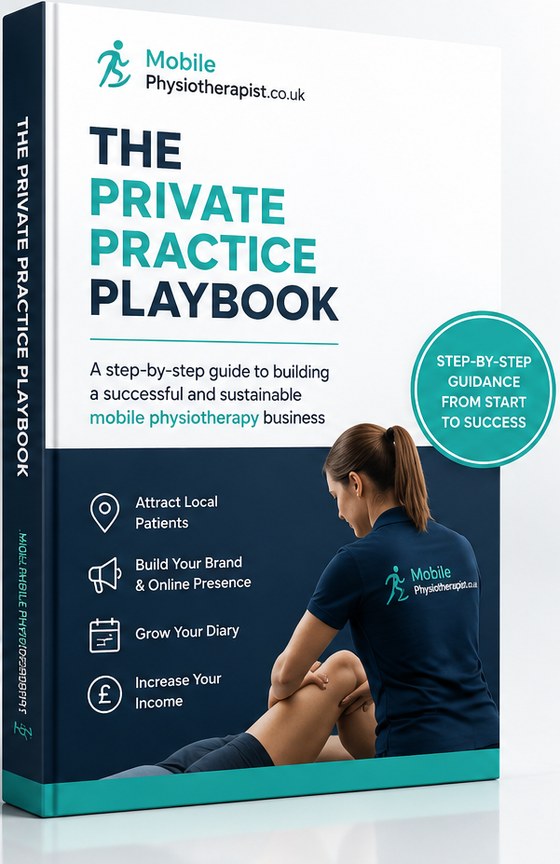
Everything you need to build a private practice, on your terms
Modules 3 and 4 of our course cover the profile and the review engine in more depth, including the description prompt that follows Google's rules and the review routine built for a caseload where the patient is 78.
The Private Practice Playbook is 26,000 words of UK-specific, step-by-step guidance from the team behind a home-visit network of physiotherapists across England and Wales. Our real prices, our real numbers, and the mistakes we have already made so you do not have to.
- Proven strategies. Attract local patients and build the referral relationships that keep a diary full.
- Practical tools and templates. Calculators, checklists, letters and AI prompts, already written for you.
- Price and earn properly. What to charge, how to say it out loud, and the honest maths behind a private week.
- Flexible and self-paced. Read it in an evening, then work through it one module at a time.
Read the first two modules free Is your county free?
Ten modules, yours for a one-off £75. No subscription. Take a county listing with our network and the course is included, with the £75 coming off your first invoice.